But What About the Trophies?
by Frank Riccobono
This is the first of a series of articles about a software application I wrote originally to help out the New York Catholic Forensic League. It covers the motivations and core design of the system.
Backstory
It was the fall of 2020. A new school year had just started, but amidst the continuing pandemic safety measures, we in the speech and debate community were wondering whether we would be able to continue the activity in some form or another. Thanks to a video platform developed that summer by the National Speech and Debate Association, we were fairly confident we could hold virtual tournaments, but we had another practical issue: how would we recognize the winners?
Speech and debate is primarily an educational activity. We don’t encourage students to participate for the trophies, but at the same time, doing well at a tournament is difficult. We still wanted to reward these students for their success. Trophies were the league’s largest expense when running in-person tournaments, and mailing them out after virtual tournaments would have been prohibitive.
Our league director came to me with an idea: certificates. More specifically, we needed a way to generate hundreds of printable certificates automatically, personalize them, and distribute them digitally. Here’s how I did it.
Layout
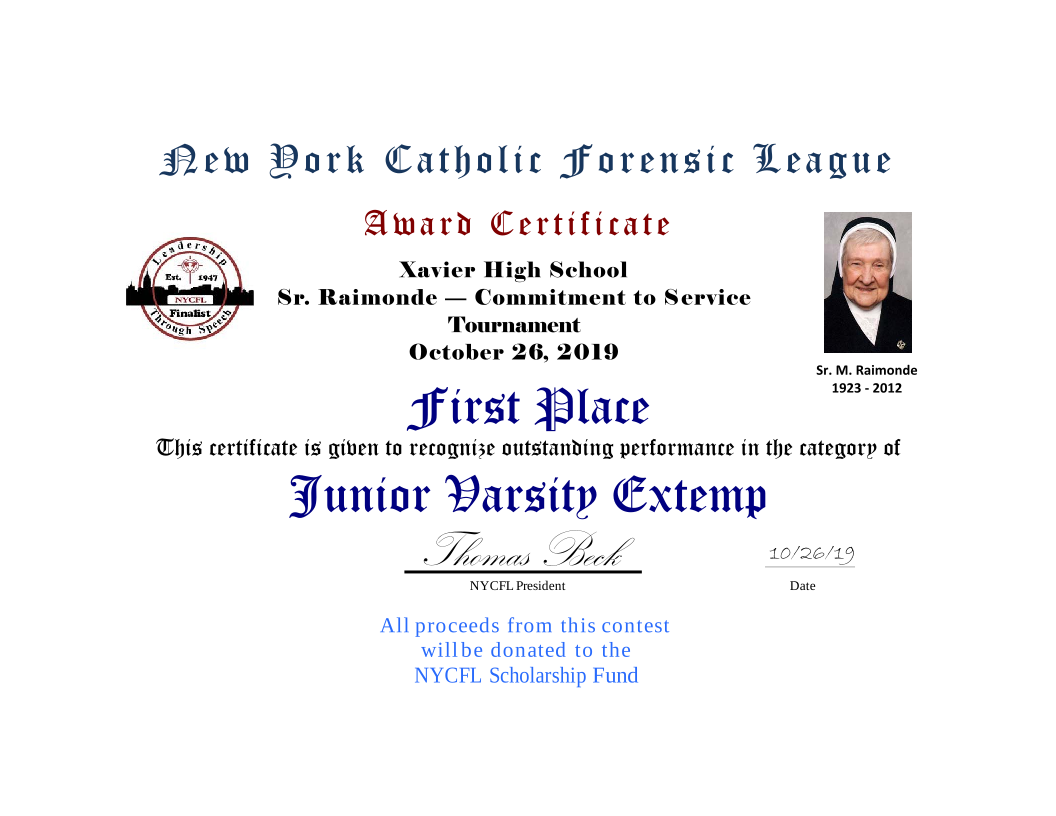
Maybe I was just biased from years of working in web development, but when I looked at the sample certificates we had printed, I saw a familiar box model.
The layout was primarily centered text with some borders and spacing. I decided to use HTML and CSS. A certificate can be represented as just a few lines of text and markup. The structure was straightforward.
<div class="certificate_border gold finalist">
	<div class="certificate_body placement_certificate">
		<img alt="The tournament logo" src="/nycfl-logo.svg" height="100px"/>
		<p class="nycfl">New York Catholic Forensic League</p>
		<p class="award_certificate">Award Certificate</p>
		<div class="tournament_details">
			<p class="host">Regis High School</p>
			<p class="tournament_name">NYCFL First Regis</p>
			<p class="tournament_date">September 26, 2020</p>
		</div>
		<p class="place">First Place</p>
		<p class="before_text">This certificate is given to</p>
		<p class="name">Jane Doe</p>
		<p></p>
		<p class="before_text">to recognize outstanding performance in the category of</p>
		<p class="event_name">Dramatic Performance</p>
		<p class="signature_block">
			<span class="signature">Thomas Beck</span>
			<span class="position">NYCFL President </span>
		</p>
		<p class="date_block">
			<span class="signature-date">09/26/2020</span>
			<span class="date-label">Date</span>
		</p>
	</div>
</div>
I found a royalty-free guilloché border vector image and found a few suitable web fonts with the right look. My reference certificate was a Word Document based on a print template from an office supply store. When translating a design into HTML/CSS, we usually use units like pixels or REMs, but in this case, it was easier to use inches, a less commonly used unit in web design. That allowed me to make the full size of a certificate to be based on US Letter paper size (8.5 x 11 inches).
div  {
	overflow: hidden;
	height: 8.5in;
	width: 11in;
	padding: 0.5in;
}
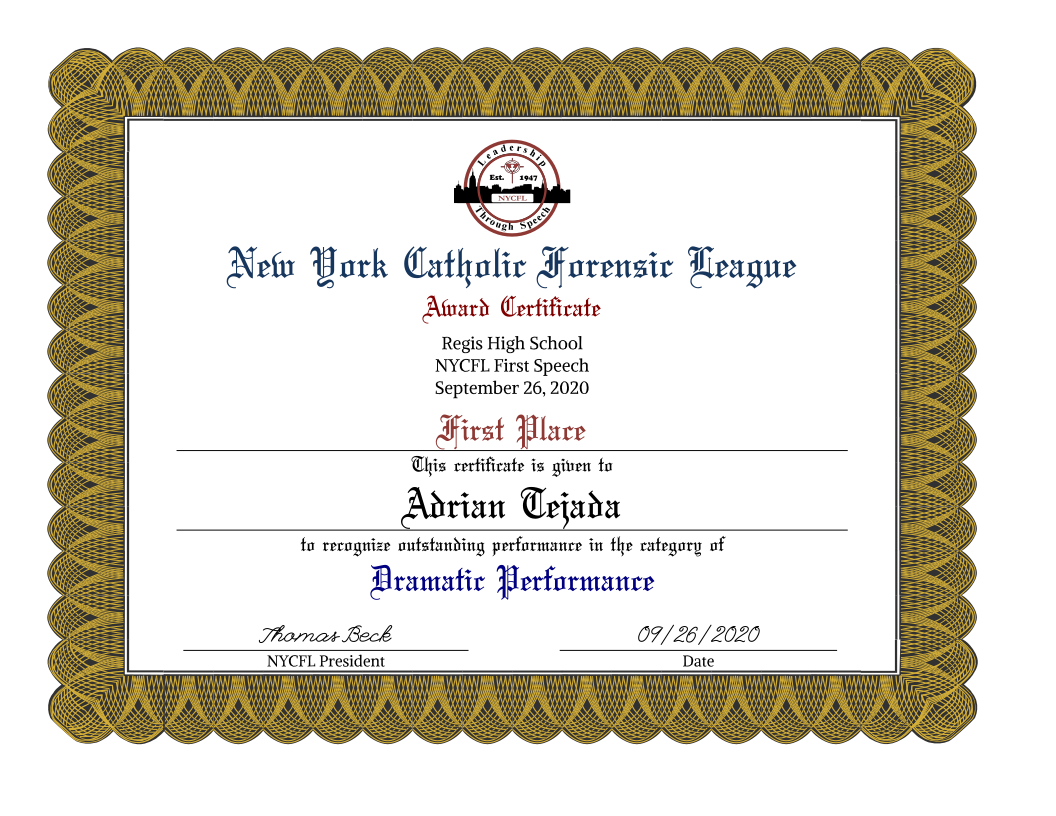
Because certificates are fixed-size documents, HTML print styles made it easy to produce consistent, printable layouts.
Templates
The core idea was to extract data from Tabroom, the software we used to run tournaments and use it to generate the certificates. Tabroom was built with a programmer’s mindset and makes much of its data available as comma-separated-value (CSV) exports. There were several types of reports we wanted to generate from this data so I decided the best starting point was to parse the files once and import the data into a database.
The basic workflow would be:
- Import CSV results
- Store in database for reuse
- Render certificates using a template
- Export as printable HTML/PDF
I decided to use Quarkus to scaffold the application along with its Qute templating language. Its quick startup time, developer tooling, and simple Jakarta EE API implementations made it a great choice for building a prototype that could evolve into the final product.
Students compete in one of several categories. For each category, I would get a final results CSV file that looked something like this. I used the Apache Commons CSV library to parse the files.
| Ranking | Code | Name 1 | School |
|---|---|---|---|
| 1 | 508 | Jane Doe | Some Academy |
| 2 | 512 | John Smith | P.S. 1337 |
Since I would be the one generating the certificates, I used an H2 file-based database. We were all working remotely so both the application and the database file lived on my desktop. When I needed to generate something, I could start up the application using Quarkus development mode.
To interact with the application, I created a REST API that could power a small React front end. Below is a simplified version of the JAX-RS resource. Most of the endpoints are general CRUD operations. These endpoints provided for the following workflow:
- create a tournament with basic information like the name, date, and virtual host school
- create a list of events in the tournament
- upload the CSV results for each event
- render the certificates into the template
@Consumes(MediaType.APPLICATION_JSON)
@Produces(MediaType.APPLICATION_JSON)
public class CertificatesResource {
	@Inject
	Template certificate;

	@POST
	@Path("/tournaments")
	public Tournament createTournament(Tournament tournament);

	@POST
	@Path("/events")
	public Tournament createEvents(EventList eventList);

	@POST
	@Consumes(MediaType.MULTIPART_FORM_DATA)
	@Path("/tournaments/{tournamentId}/events/{eventId}/results")
	public Tournament addResults(
		@MultipartForm MultipartBody body,
		@PathParam("eventId") int eventId,
		@PathParam("tournamentId") long tournamentId
	);

	@GET
	@Produces(MediaType.TEXT_HTML)
	@Path("/tournaments/{id}/certificates")
	public String generateCertificates(@PathParam("id") long tournamentId);
}
The generateCertificates endpoint would render the Qute template.
<link rel='stylesheet' href='/certs.css' />
{#for event in tournament.events}
{#for result in event.results}
<div style="overflow: hidden; height: 8.5in; width: 11in; padding: 0.5in">
	<div class="certificate_border {result.certColor}">
		<div class="certificate_body">
			<img src="/nycfl-logo.svg" height="100px"/>
			<p class="nycfl">New York Catholic Forensic League</p>
			<p class="award_certificate">Award Certificate</p>
			<div class="tournament_details">
				<p class="host">{tournament.host}</p>
				<p class="tournament_name">{tournament.name}</p>
				<p class="tournament_date">{tournament.longDate}</p>
			</div>
			<p class="place">{result.placeString}</p>
			<p class="before_text">This certificate is given to</p>
			<p class="name">{result.name}</p>
			<p class="before_text">to recognize outstanding performance in the category of</p>
			<p class="event_name">{event.name}</p>
			<p class="signature_block">
				<span class="signature">Thomas Beck</span>
				<span class="position">NYCFL President</span>
			</p>
			<p class="date_block">
				<span class="signature-date">{tournament.shortDate}</span>
				<span class="date-label">Date</span>
			</p>
		</div>
	</div>
</div>
<div style="page-break-after: always; visibility: hidden"></div>
{/for}
{/for}
In the first version of this, I had several border images to produce different placements. Gold for first place, silver for second, bronze for third, red for fourth through sixth place, and light blue for any other finalists. I quickly realized that it would be beneficial to have more flexibility to support more placements and custom designs without maintaining multiple static images. Thankfully, since the border was an SVG file, I could also turn it into a Qute template as well and add one more endpoint that would adjust colors in the SVG.
@GET
@Path("/background.svg")
@Produces("image/svg+xml")
@PermitAll
public String getBackgroundImage(
	@QueryParam("color") @DefaultValue("ffffff") String color,
	@QueryParam("color2") @DefaultValue("323131") String color2,
	@QueryParam("color3") @DefaultValue("323131") String color3
)
And we could reference this endpoint in CSS like this:
.certificate_border.gold {
	background-image: url('/certs/background.svg?color=D4AF37');
}
.certificate_border.black {
	background-image: url('/certs/background.svg?color=D8D8FF');
}
.certificate_border.silver {
	background-image: url('/certs/background.svg?color=C0C0C0');
}
.certificate_border.bronze {
	background-image: url('/certs/background.svg?color=CD7F32');
}
.certificate_border.red {
	background-image: url('/certs/background.svg?color=C76C67');
}
Finally, since the certificates were rendered as HTML, generating PDFs was straightforward. I used Chrome’s built-in “Print to PDF” feature, which handled layout and pagination reliably without needing additional libraries or tooling. While this wasn’t fully automated, it was simple and dependable—and more than sufficient for our needs. For ease of downloading, I uploaded the resulting PDF to an Amazon S3 bucket because the file was too large to email.
On September 30th, I sent out the first set of certificates for our first online speech tournament, 45 pages altogether, and it was just the beginning. Soon, I needed to accommodate events with other formats, larger tournaments with quarterfinals and semifinals, tournaments for other leagues, and customization for other purposes. The strength of the original implementation was how easy it was to evolve. I’ve since generated certificates and slides (more on that later) for over 150 tournaments, and the software has continued to evolve.
Lessons Learned
- HTML and CSS work well for print layouts. Browsers provided a reliable and flexible way to generate certificates without specialized tooling.
- Templates make scaling easy. Once the certificate layout was templated, generating hundreds of certificates became trivial.
- SVGs can be treated as templates too. Converting the border into a template made it easy to customize designs without maintaining multiple assets.
- Manual steps can be the right starting point. Using Chrome’s Print to PDF feature was simple, dependable, and fast to implement.
- Simple systems can go a long way. A lightweight architecture was enough to support over 150 tournaments and six years of iterative feature development.
